


HP ZBook workstations Data Recovery - Hard Drive and SSD Data Recovery
When it comes to workstations, lots of people think of huge, unwieldy machines consisting of many rows of hard drives. Well, HP ZBook workstations can change that image. Light, thin and powerful, they have all you may need to make your ideas a reality.
Still, when HP ZBooks fail, it's about time to call on ACE Data Recovery for help. Successful file recovery from HP ZBook workstations is a piece of work. In addition, some models like HP ZBook 15 G4 Mobile Workstation use solid state drives as the main data storage. That means efficient HP ZBook workstation recovery is hardly possible without qualified assistance from specialists.
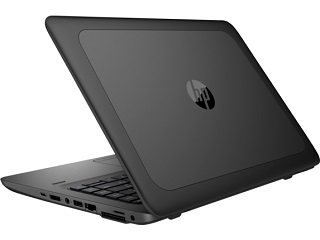 HP Z Workstations make the perfect choice for business owners who need both portable and powerful platforms for prompt data processing and safe information storage. Depending on a model, HP Zbooks use different types of internal hard drives. Both types have their own pros and cons.
Hard disk drives can boast of pretty high storage capacity and have longer lifespan in comparison to their solid state counterparts. When it comes to data recovery from a hard disk drive, it requires cleanroom environment as it has mechanical parts that can be damaged by dust or careless actions. In turn, solid state drives are more shock-resistant and give lightning-fast file processing. So, if you need to deal with large files every day, a workstation with a solid state drive will make a good choice.
HP ZBook workstations Data Recovery Process: how it works for our clients
Latest Publications
By following these guidelines and avoiding common mistakes, you can extend the lifespan of your flash drive and protect your valuable data
Read more..
Understanding and Unraveling the Mystery of Formatted SSDs: Can Deleted Data Be Recovered?
Read more..